MIDI Pulse Looper
Record and layer loops from your feet
About MIDI Pulse Looper
A simple looper for iPhone that you control from a MIDI footswitch, connected over Bluetooth MIDI or USB MIDI. Each press of the main button moves from Record to Play to Overdub, so you can build a loop without taking your hands off your instrument.
Part of the MIDI Pulse series by Prototype Labs. No footswitch? The on-screen buttons work the same way.
What You Can Do
Record and Overdub
One track, with a free loop length of up to 60 seconds. Overdub up to 7 layers (8 including the first recording). STOP, UNDO, and CLEAR are there too; press CLEAR twice to clear the loop.
Spread Layers Wide
Each overdub layer is panned progressively wider to the left and right. Adjust how far with the Width control. Every layer shows its own waveform.
MIDI Learn
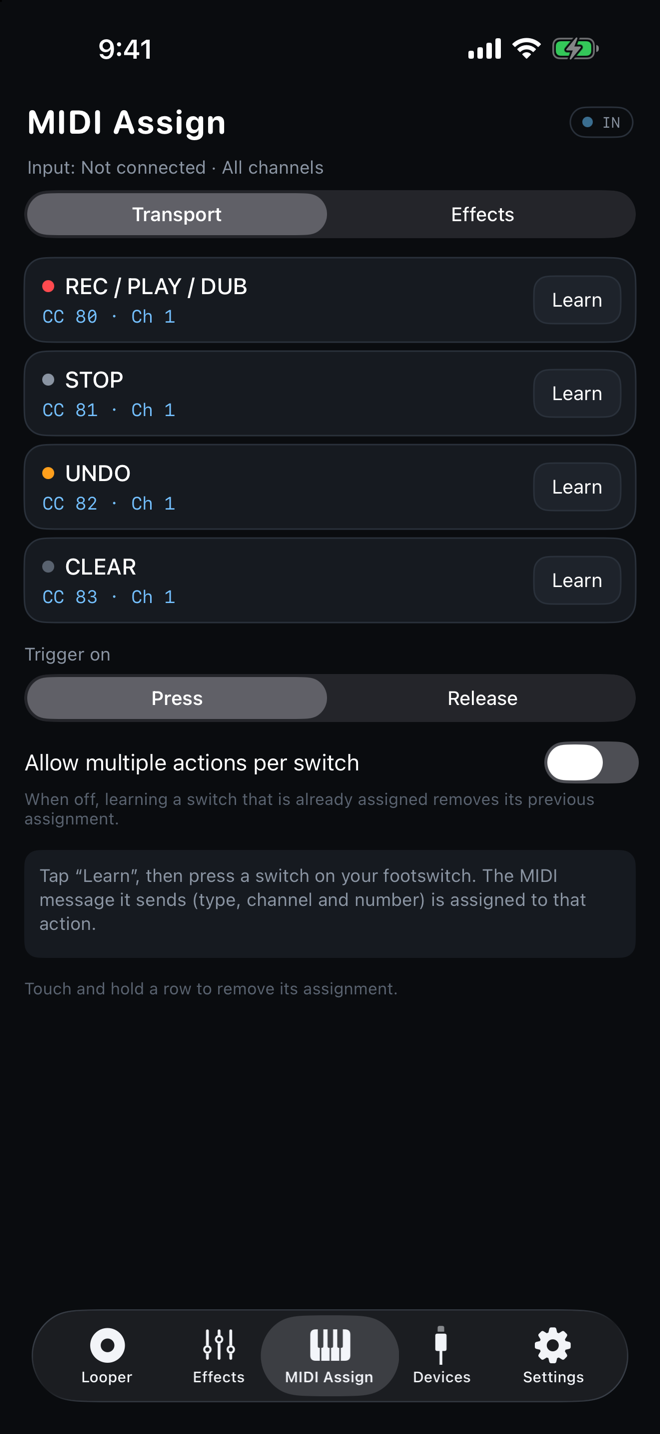
Tap Learn and press a switch. The MIDI message it sends (CC, Note, or Program Change, plus channel and number) is assigned to that action. You can also let one switch trigger several actions.
Shape the Sound
EQ (low cut plus 3 bands) and a compressor on both the input (what you record) and the output (overall sound), with presets such as Acoustic Guitar, Vocals, Bass, Built-in Speaker, and Headphones. The effects add zero latency.
A Look at the Screens
Looper
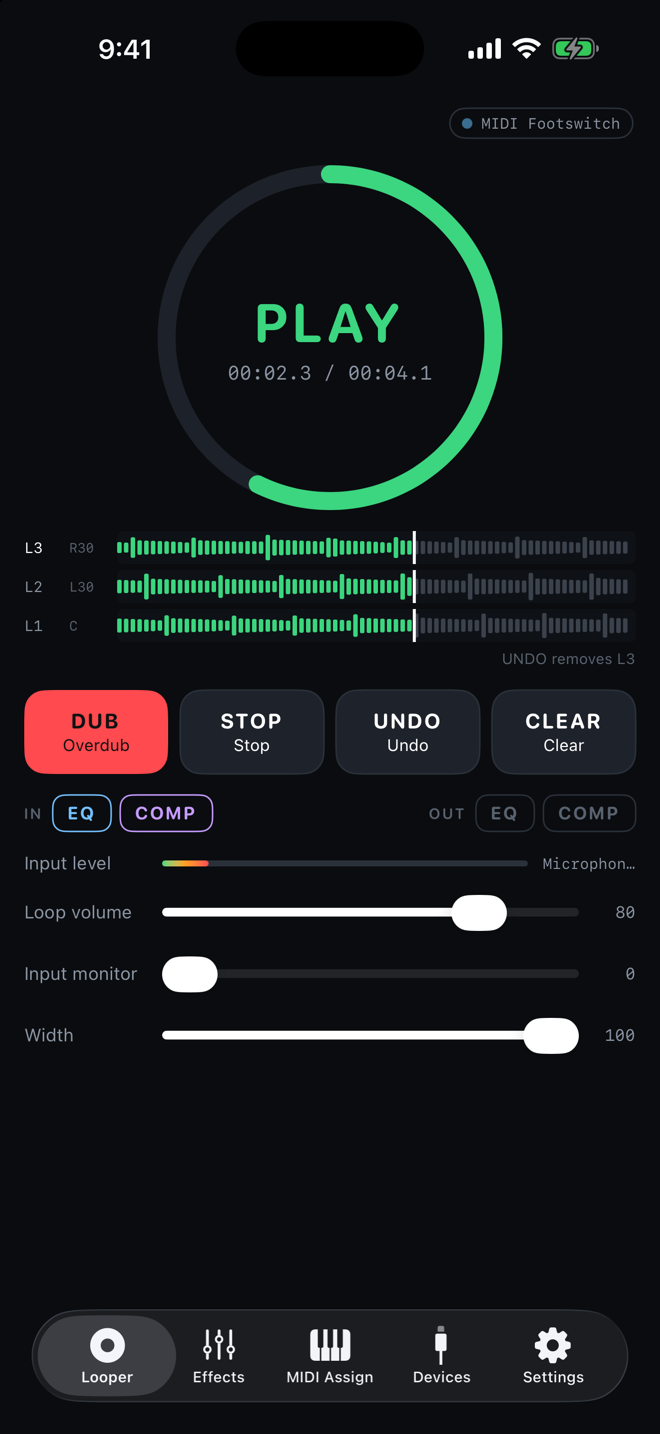
A large ring shows where you are in the loop and how long it is. Each layer gets its own waveform, and STOP, UNDO, and CLEAR, along with loop volume and Width, are all on this screen.
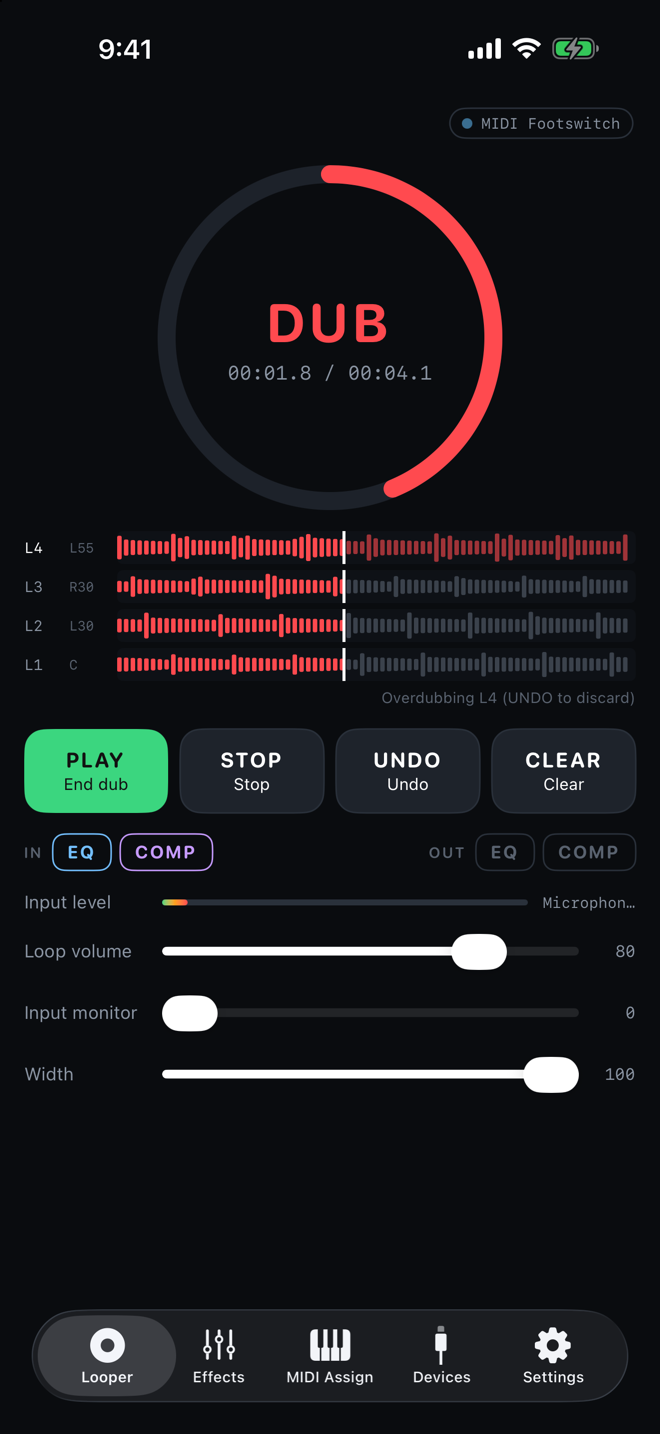
Overdub
Press again during playback to overdub. Each new layer is placed a little wider to the left or right, so the sound doesn't pile up in the center no matter how many layers you add.
Effects
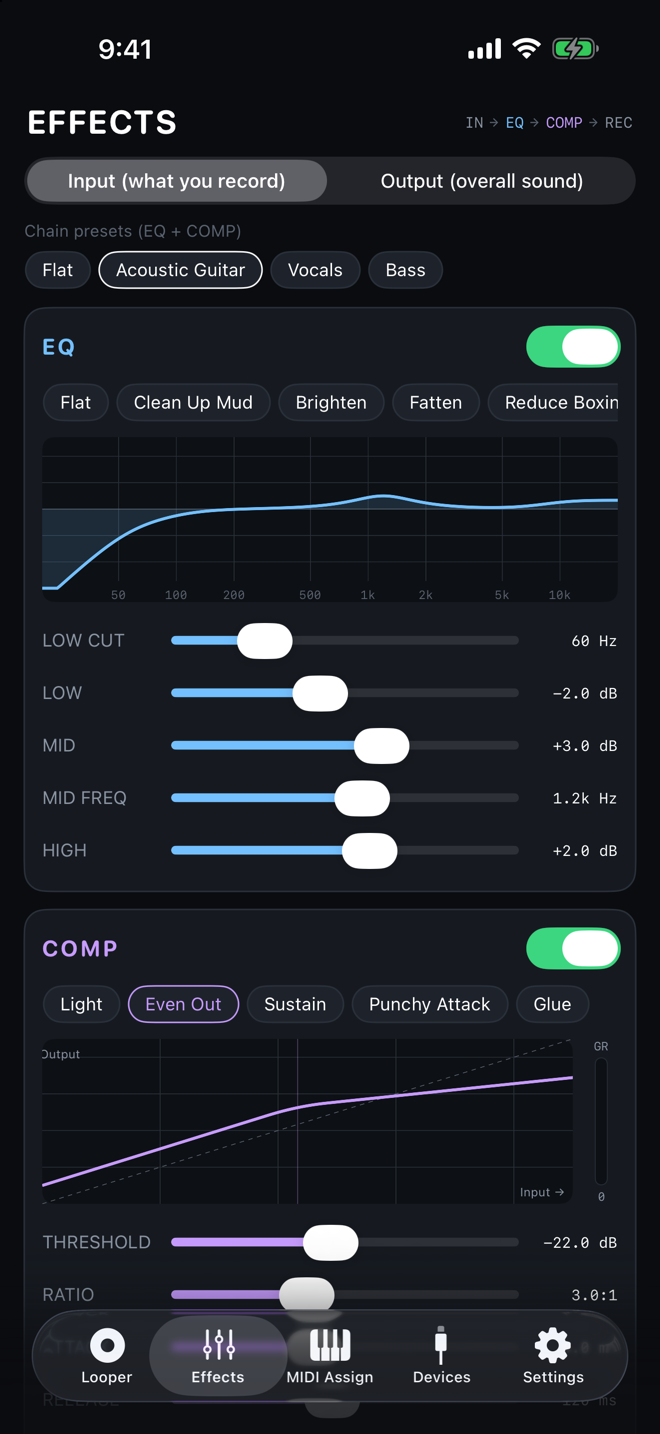
Apply EQ and compression to both the input (what you record) and the output (overall sound). Start from presets such as Acoustic Guitar, Vocals, and Bass.
MIDI Assign
Tap Learn and press a switch to assign it. Assignments are grouped into Transport and Effects, and you can choose whether actions trigger on press or on release.
Pricing
Free to download, with a 14-day free trial. After the trial, starting a new recording or overdub requires the Full Version, a one-time in-app purchase. Playback and the rest of the app keep working after the trial ends.
Requirements
- •iPhone. iOS 18 or later
- •A MIDI footswitch (Bluetooth MIDI or USB MIDI) is optional; the on-screen buttons work too
- •English and Japanese
- •The microphone is used only to record audio input, and Bluetooth only to connect Bluetooth MIDI devices
Privacy
The app doesn't collect any information about you. No account is needed, and the audio you record never leaves your iPhone.
MIDI Pulse Looper Privacy Policy→Support
Send questions about using the app, bug reports, and requests through our contact form. If your footswitch doesn't respond, it helps if you include its model name and how it's connected (Bluetooth or USB).
Contact Form (in Japanese)→