Songbox
A songwriting notebook for singer-songwriters
What is Songbox?
An iPhone app for catching the melody you just hummed over your guitar or piano, and building it into a whole song before it slips away.
Record each section, from verse to chorus, then line the takes up and your demo takes shape. From a hum to a song.
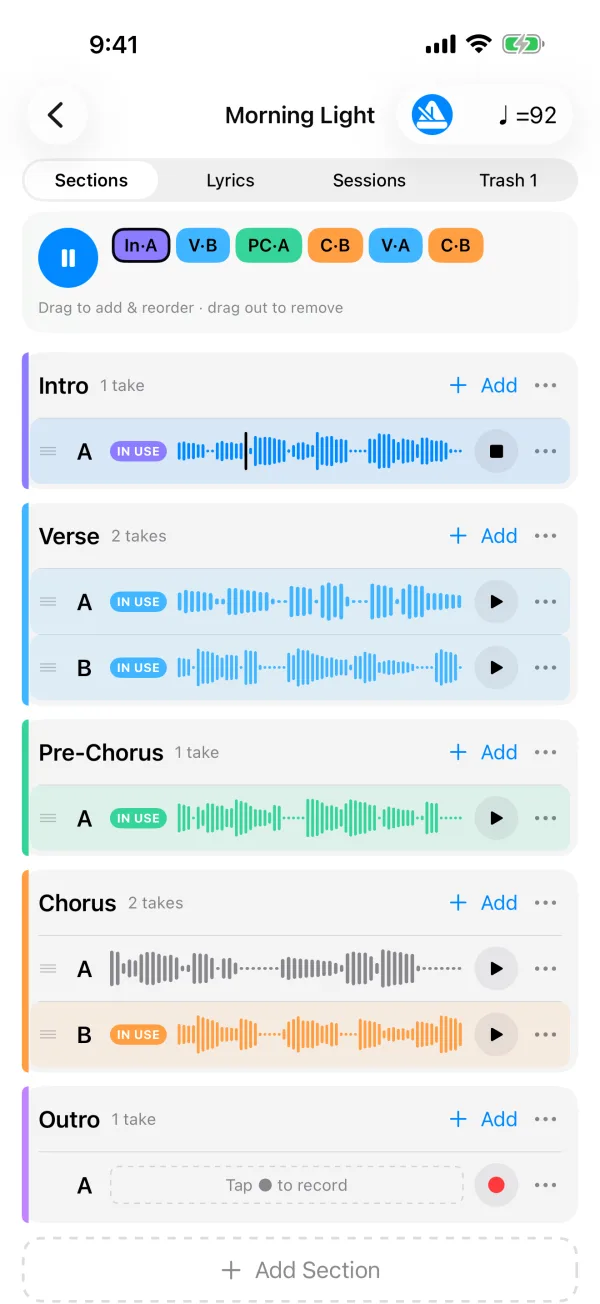
Record in sections, then line them up
A song is made of sections such as Intro, Verse and Chorus. Tap ● to record, drag takes into the bar at the top, and tap ▶ to hear the song from the top.
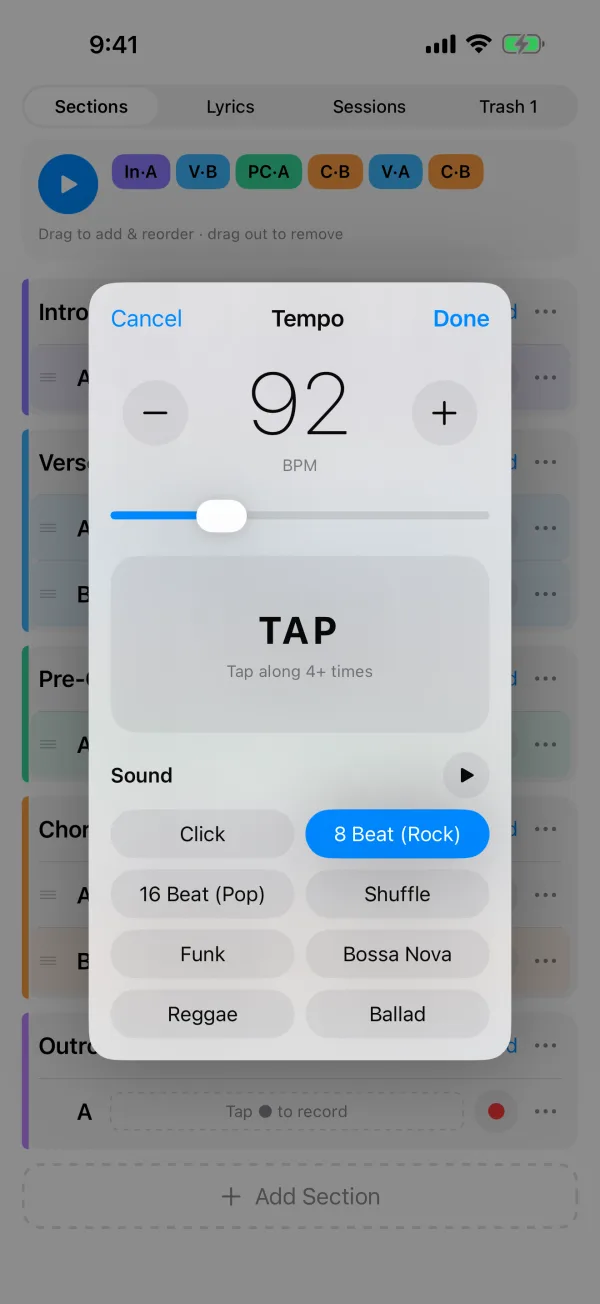
Sing along to a groove
Set the tempo with a slider or by tapping along while you play. Preview and pick a click or one of seven rhythms such as 8-beat, 16-beat and bossa nova.
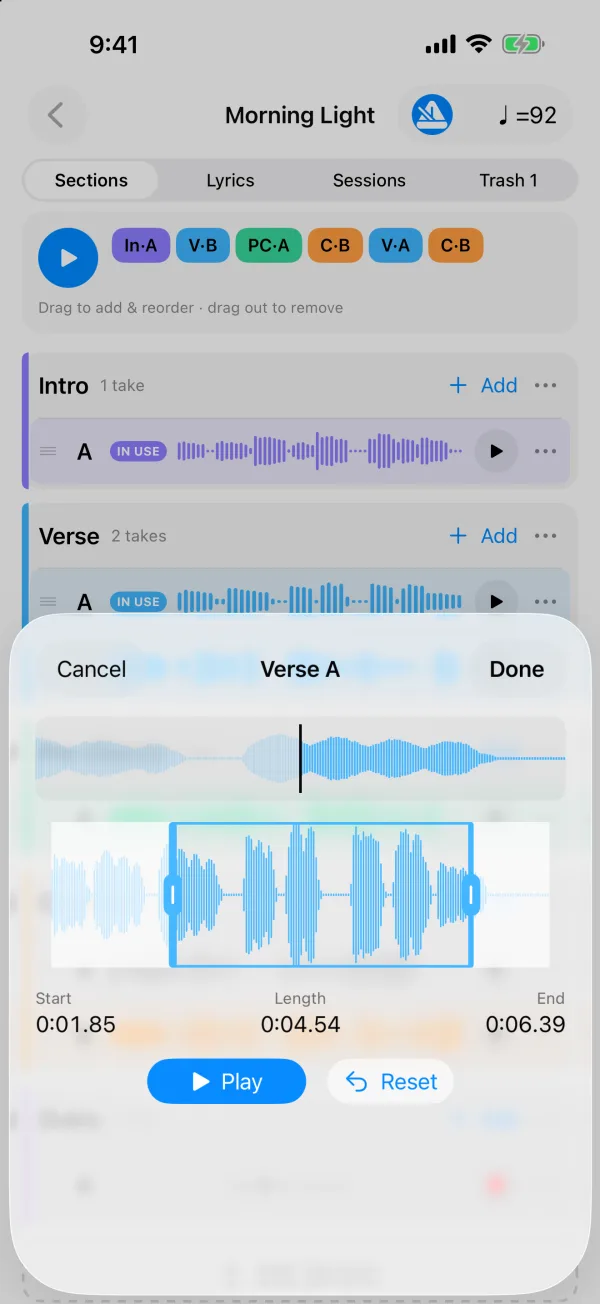
Trim it to the first word
Set where a take starts and ends with a close-up of what is under your finger. Slow drags move finely, and the original is kept, so you can always undo.
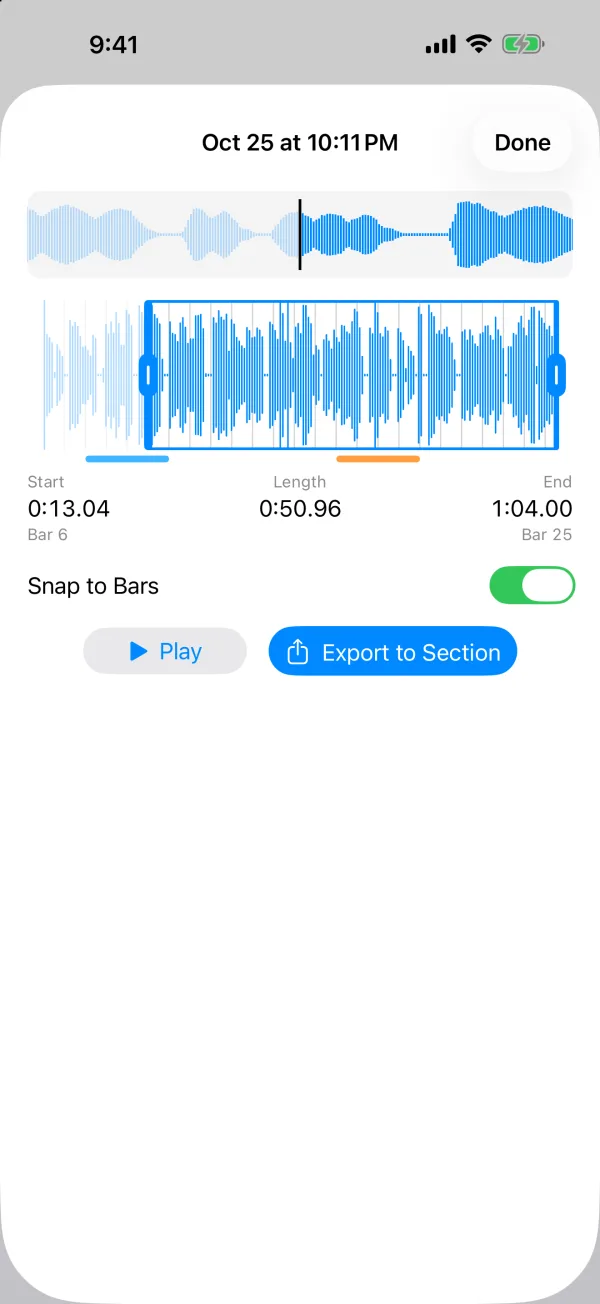
Jam it out, keep the best
Record a long free run-through in Sessions and export only the parts you love into sections. Played to the metronome? Cuts snap to bars.
Features
- •Record and compare as many takes as you like for each section
- •Drag takes into order and play the whole song
- •Record to a click or seven rhythms
- •Fine-tune where takes start and end (the original is kept)
- •Export the best parts of a free session into sections
- •Keep lyrics and notes with each song
- •Bring deleted takes back from the Trash
Pricing
Keep up to three songs for free. A one-time in-app purchase, Songbox Unlimited, lets you make as many as you like. No subscription.
Requirements
- •iPhone with iOS 17 or later
- •English and Japanese
Privacy
The app collects no information about you. There is no account, and recordings stay on your iPhone.
Songbox Privacy Policy→Support
For questions, bug reports and requests, please use the contact form. If you can’t record, open Settings → Songbox on your iPhone and make sure Microphone access is on.
Contact→