
Hikidori
Film your songs in clean sound
What is Hikidori?
When you film yourself singing and playing on an iPhone, does it come out too quiet or muffled? Hikidori is an iPhone app that fixes that: after you record, just choose how you want it to sound, and you get a video that is easy to listen to.
Pick a shape, record, pick a sound, then save and post. That is all there is to it, with no complicated settings or jargon. The name comes from the Japanese for “play and film.”
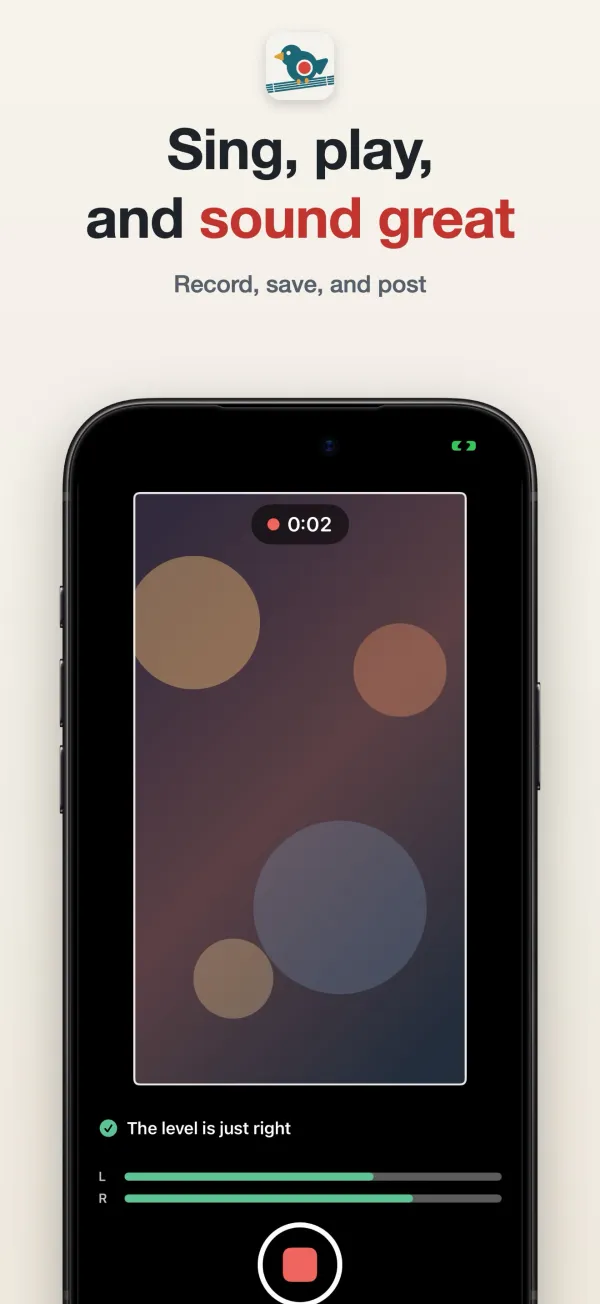
One button to record
Tap the red button and recording starts after a three-second countdown. A meter shows you whether your level is just right.
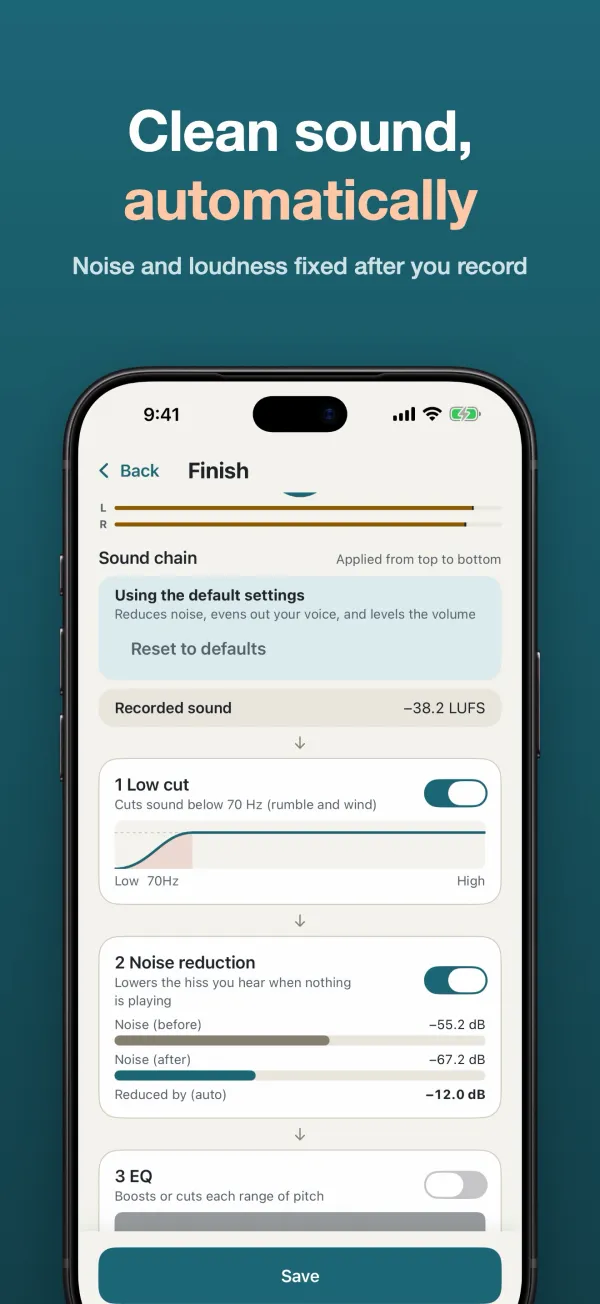
Clean sound, automatically
After you record, the app cuts low rumble, reduces quiet background noise such as an air conditioner, and evens out the volume so it is easy to hear on social media.
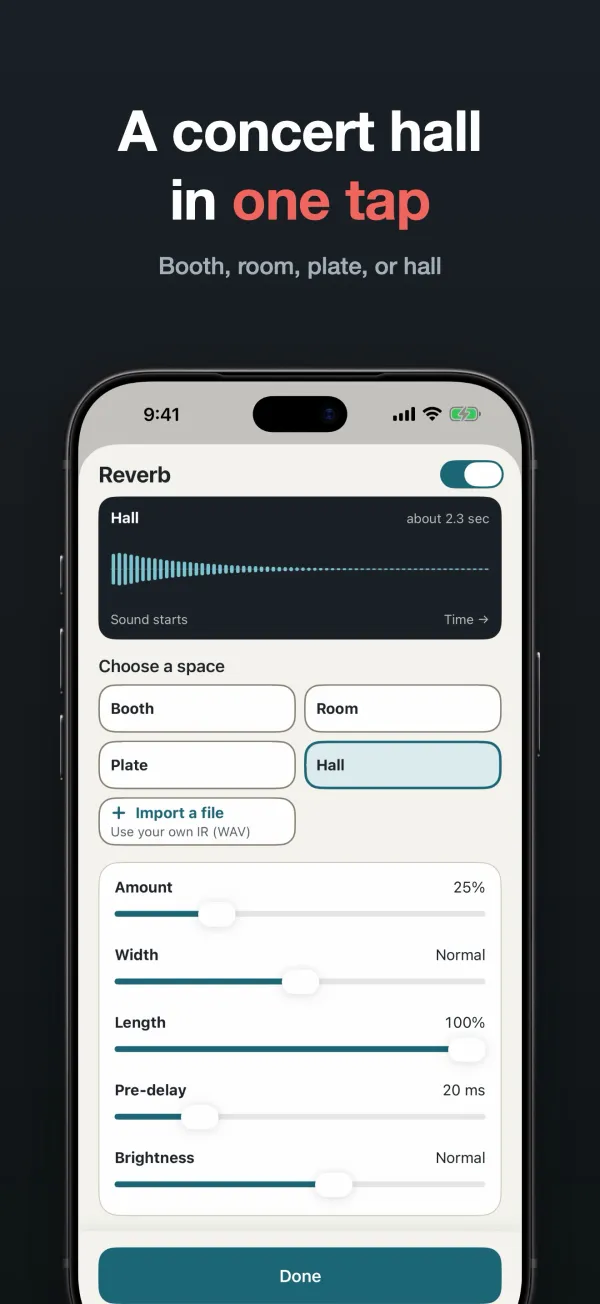
Pick a space, compare by ear
Choose a booth, room, plate or hall. Adjust the amount and width with sliders, and switch it on and off to compare until it sounds the way you like.
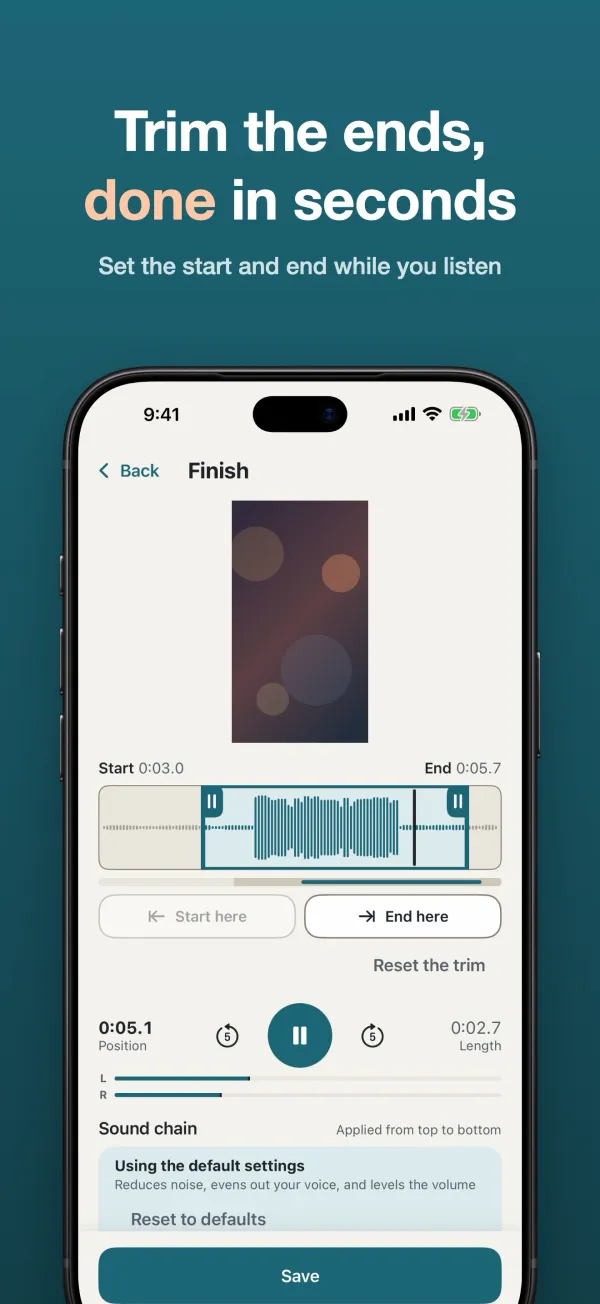
Trim the ends, done in seconds
Cut the silence before you start singing and after you finish by dragging while you listen. Your video is saved in the app and ready to share.
Features
- •Choose a shape: vertical, horizontal or square
- •Recording starts after a three-second countdown
- •Volume and quiet background noise fixed automatically
- •EQ, compressor, and reverb (such as a hall), each with an on/off switch to compare by ear
- •Trim the extra bits before and after you play
- •Pick a different sound later for any video in Your Videos
- •Saved in the app, with one tap to save to Photos or share
Requirements
- •iPhone with iOS 26 or later
- •English and Japanese
- •Supports larger text sizes, VoiceOver and Dark Mode
Privacy
The app collects no information about you. There is no account, the app never connects to the internet, and your videos and audio stay on your iPhone. There are no ads.
Hikidori Privacy Policy→Support
For questions, bug reports and requests, please use the contact form. If you can’t record, open Settings → Hikidori on your iPhone and make sure Camera and Microphone access are on. If you can’t save to Photos, check Photos on the same screen.
Contact→